Archive for the ‘Nexus’ Category

Establishing Ecommerce Policies

Wednesday, September 16th, 2009

When merchants create their first online store, they are often so fixated on uploading products and creating an aesthetically pleasing site that they forget to establish good policies. Although establishing policies doesn’t fall into the “fun” category, policies can protect the merchant and are a necessity. The following is a list of Policies that every merchant should have: Return Policy, Shipping Policy, Privacy Policy, and Security Policy. This article will discuss each policy in detail.

The Return Policy is one of the most important policies a merchant can construct. It will vary from business to business and may also depend upon industry and what your competitors are doing. Some merchants like to say all shipments are final- period. Others will allow for exchanges and store credits, while others might offer a complete money back guarantee. Whichever category your business falls into, the return policy should mention a time component. For example, if someone attempts to return a product that they purchased 6 months ago, you may be less willing to take the product back then if they bought it 1 week ago. You should also establish shipping costs and how they pertain to returns. Is it the customer’s responsibility to pay for shipping if they return something or is your company willing to eat that cost? Also, what condition must the product be in to be returned? Having a clearly defined shipping policy is extremely important and unfortunately something that every online merchant will fall back on at some point in time.

A good shipping policy should set expectations for the customer. The most commonly looked for element in a shipping policy is the time element – how long will it take to get the package(s). Although you can’t control the shipping carrier’s time in transit, you can give the customer a good idea of how long it will take you to get a package in the hands of a carrier. Also, if there are days that you don’t ship, specify them. Many companies that sell wine or perishables won’t ship on Thursday and Friday because they don’t want the packages sitting in the carrier’s truck over the weekend. Merchants should also mention whether or not they’ll ship to PO Boxes.

In today’s world it is extremely tough to keep your email address off of spam lists. Consequently, consumers are more cautious than ever about giving out their contact information. Most merchant’s don’t sell their customers information or use if for other purposes and they should have a privacy policy that says just that. There are consumers that will not order from you if they think you are going to sell or rent their contact information. It’s not safe to assume that your customers will think you will not keep their information private.

The final policy that every merchant should have is a security policy. This will likely be an internal only policy, but should set guidelines for employees that have access to the Order Management System. Among other things, there should be policies in place for:

1. Discontinuing access to the Order Management System once an employee is terminated.
2. Defining Access Levels to the Order Management System.
3. Rules for handling files that are exported from the Order Management System.
4. Criteria for establishing unique logins and passwords to the Order Management System.
5. Guidelines for using antivirus software. It’s extremely important that merchants never login to an Order Management System if their computer has a key-logging program running.
6. Rules for accessing the Order Management System from other computers.
7. Timelines for periodically changing passwords.

Although the thought of writing policies makes most people yawn, take a couple hours and review the policies that your company has in place. Are there things that should be changed or added? If you haven’t reviewed them in a while, chances are that it’s time to revisit them.

Bookmark and Share

YouTube Promoted Videos Get More Exposure

Tuesday, August 18th, 2009

Google recently enhanced its YouTube Promoted Video capability. Merchants can now promote their own content in the related video section of an active YouTube page. At this time, most online retailers aren’t taking advantage of YouTube Promoted Videos and may be missing out on a powerful marketing channel.

Before we dive into this topic, let’s back up a step.  If you’ve published a video on YouTube before, you may have noticed that you have the ability to enter a description and some keywords that describe your video.  When someone searches YouTube for “dancing baby” the video of your adorable two-year-old will show up along with similar videos.  Due to its popularity, businesses have been using YouTube to promote their products and services in the hopes of generating business.  However, there was no guarantee where and when your video would display, so YouTube came up with YouTube Promoted Videos Ads.  Promoted videos operate similar to the Google AdWords program in that you’re able to bid on certain keywords that someone might use when searching YouTube.  When your keywords are entered, your video shows up along with any of the organic search results YouTube considers relevant. 
 
YouTube has now taken Promoted Videos a step further.   Instead of just displaying the videos on the search results pages, YouTube will now display the promoted videos within the related videos box that is displayed to the right of the video being played.  For example, if someone is watching a video on “Golf Training” the related videos may also include a promoted video from an online merchant selling a golf training device.  The merchant bid on the term “Golf Training” and now his promoted video displays every time someone includes this term in their search.

Once you have created a video, promoting it is easy.  You first create a campaign within your YouTube account by clicking on the “Promote Your Videos with Promoted Video” link.  Next, click on “Create New Promotion” and you’ll be guided through the steps of creating your ad such as the title, keywords and bids.  This process is very similar to AdWords, so if you have an AdWords account and you are targeting a similar audience, you may be able to speed up the creation process by referencing the information you already have on file within your AdWords account.  Once your promotion has been created, YouTube will start promoting the video within a few minutes.  While you may be missing a few of the advanced features that AdWords provides you will get all the essentials such as adding additional keywords, pausing and editing your promotion.  An additional bonus is that this type of marketing is still relatively new, so your bids may be just a fraction of the cost of what you’re paying on AdWords.
 
While video marketing is still new for most online merchants its potential is undeniable.  For most companies it’s not “if” but “when” will they start using online video to promote their business.  One thing is for sure; Google will only continue to add more features to the YouTube Promoted Video arsenal as it looks to further monetize this medium.

Bookmark and Share

To Chat or Not

Wednesday, July 8th, 2009

Like it or not, much of the communication in our society is quickly evolving into a series of short text messages. From SMS Text Messaging on Phones to Twitter posts that are 140 characters or less, people often want to relay a quick message without an involved conversation. Offering a Live Chat system on your web site is one way that customers can quickly communicate with your company or find out answers to questions without feeling like they are being sold. Surprisingly, many online merchants to this day still do not offer a live chat option on their site. This article will discuss some advantages of offering Live Chat as well as some best practices.

Let’s first define Live Chat as a service that enables your online customers to engage in real-time text conversations with you. This is very similar to instant messaging where by both entities type messages that the other can instantaneously view. Although most Live Chats are initiated by the customer, there are programs that allow the merchant to initiate the conversation. This article will refer to some Live Chat features that are available in LivePerson (one of the most popular live chat services) although there are many potential vendors in this category.

The primary reason an online retailer should consider offering Live Chat is to increase sales. This can be achieved by increasing the number of orders on your site (conversion), increasing the average order size on your site (up selling), or by improving customer service (hoping satisfied customers will return). If used effectively, Live Chat can do all of these things. Another advantage to using a Live Chat service is that you can see visitor information in real-time including where they came from and often times where they are geographically.

The most important element in determining the success of your Live Chats is the operators themselves. First and foremost, your operators must be knowledgeable about your product line. Most of the time when someone initiates a chat, it is because they have a question. If you operators can’t answer the customer’s questions, the customer is going to get frustrated quickly and will abort the conversation. Secondly, your operators must be friendly. You may be wondering how a typed conversation can come across as unfriendly, but it does happen and can reflect poorly on your brand. Next, your operators must type fast. Many of the people that click the Live Chat button on your site are impatient and want a quick answer. If your operator takes too long to respond, he or she will lose the customer.

Once you find and train the Live Chat operators, there are several best practices these operators should adhere to:

1. Create canned responses for greetings and answers to common questions. Doing so saves your operators time and provides consistency.
2. Answer questions quickly and accurately.
3. Let the customer end the conversation – most of the time. Generally speaking, you want to let the customer end the conversation so that your operator doesn’t come off as being rude. There are however, exceptions. If it is obvious that the customer is chatting for their own entertainment such as flirting or asking about the weather, politely end the conversation and move on.
4. After answering some of the customer’s initial questions and pointing them in the right direction, ask them some open-ended questions that might allow you to learn about other products they might be interested in. This is a great way to create an up-sell opportunity.
5. Use a “push” feature whenever possible so that customers do not need to copy and paste URLs that an operator might direct them towards.

Many times merchants don’t implement a Live Chat program because they feel it will take too much time. However, many of these same merchants pay employees to work in their brick and mortar stores providing information and recommending products. The online world should be similar, only rather than saying words, you simply type them.

If you are interested in trying Live Chat after reading this article, a free trial can be found here:
http://solutions.liveperson.com/sb/free-trial/nx/.
While it may not be ideal for every company, you’ll definitely learn a lot about your own business by interacting in real-time with potential customers.

Bookmark and Share

A/B Testing with Google Website Optimizer

Tuesday, May 19th, 2009

Have you ever wondered how a design change to a webpage might affect conversion? If you are a serious online retailer, the answer is likely yes. Often times even small page modifications like simply changing the color of a button can have an immediate impact on your conversion rate. One of the greatest things about having a website is that almost everything can be measured scientifically. Although detailed measurement is possible, it’s not surprising that most people still take a fairly subjective approach to their websites. With the help of Google Website Optimizer, there really is no longer an excuse for “guessing” that certain changes will improve the key metrics of your site.

Google Website Optimizer is a free tool found within Google AdWords. Google Website Optimizer makes it very easy to run an A/B test or even a multi-variant test. In the case of running a simple A/B test, you would simply create two different versions of the same page with just one variation. Google then asks you to put two snippets of JavaScript code on the original or control page (one snippet at the top and one at the bottom). You also need to put a snippet of code at the bottom of the new version of the page and a different snippet at the bottom of the conversion page (this is the page that someone visits when your site has successfully achieved its objective). Once those pages are successfully loaded on your site, you tell Google Website Optimizer to start running the experiment.

Google Website Optimizer is very clever. You do not need to change any navigation components on your site. Once the experiment is running, all of your visitors will still visit the original control page. However, half of them are going to be directed to the new version of the page (the top JavaScript snippet enables that redirect). The other half will stay on the control page.

Through the web-based Google Website Optimizer interface, you can decide how much traffic is going to be used for the experiment. Naturally, if you use 100% of your traffic, you’ll be able to determine sooner which option is working better. Google also gives you the ability pause the campaign at any time.

Once the experiment has begun, be sure to regularly check on the results of the reporting. If the reporting tells you that Version B of your test is the high confidence winner, congratulations….your intuition that a change was necessary was correct. If version A prevails, stop the experiment and rethink your approach. Making even slight changes to your site can have a positive impact and Google Website Optimizer gives you the means to prove it.

Bookmark and Share

Twitter It – Just a Little Bit

Tuesday, April 7th, 2009

Twitter has received a tremendous amount of press in the last few months. It’s no wonder as many high profile people are now tweeting, from the likes of Lance Armstrong to CEOs of major companies. What is Twitter? Twitter is a micro-blogging site that lets its users type 140 character updates. Twitter makes it very easy for other twitter users to connect with one another and read each other’s updates. As a retailer, should you be using Tweeting? If you believe in marketing and communicating with your customers, the answer is likely yes.

Consider this: the CEO of Zappos.com (the largest online shoe retailer) has more than 373,000 people following him on Twitter. That’s a ton of people that he is able to get his brand in front of on a daily basis! Furthermore, it costs him nothing should he decide to send a brief marketing message to these Twitter Users. Gary Vaynerchuk, host of Wine Library Tv, has more than 184,000 people following his tweets.

If you are now entertaining the idea of setting up your own Twitter account, you’ll want to follow some simple guidelines:

1. Customize the look of your Twitter Page to include your branding.
2. Follow some popular people on Twitter to see why they are such. You will get some ideas as to what people find interesting.
3. Include a link to your Twitter page on your homepage.
4. Tweet at least 4 times a week, but preferably more.
5. If people follow you, it’s common courtesy to follow them.
6. Install a Twitter application on your mobile device (iPhone for example). This makes it easy to update your twitter status from anywhere.
7. Include links in your twitter updates when possible.
8. Make most of your status updates interesting and fun. If most tweets are interesting and fun, people will have a positive response to the occasional promotional tweet.

While it may sound like a lot of work to get going, it is really quite simple. Furthermore, updating your status doesn’t take long (after all, you only have 140 characters to work with). Like most forms of online marketing, a little effort can provide significant benefits.

Bookmark and Share

A Killer Widget – AddThis

Wednesday, March 18th, 2009

As an online retailer, you are continuously looking for new ways to drive more people to your online store. Aside from existing customers, the best type of customer is one that has heard about you from a friend. There is an excellent widget available by AddThis that makes it incredibly easy for your customers to share pages on your site with their friends. It also makes it easy to bookmark pages with such services as Google Bookmarks and Delicious. Amazingly, the widget provided by AddThis is free! Although it’s been largely adopted by the blogging community, retailers are now realizing that they can benefit from the same technology.

From a consumer perspective, the AddThis tool is easy to use. Users simply click on a button and are presented with more than 40 options. Some popular ones include:

Merchants simply need to sign up for a free AddThis account, and then install a snippet of code on the pages where they would like this functionality. The snippet of code adds a small button to the page that is visible to consumers. It is really quite simple. AddThis also offers an analytics dashboard to registrants so they can see how often each service is being utilized, which pages are being shared the most, and where visitors are located that are using the feature.

The AddThis widget is free, easy to install, and a potential traffic driver – making it a no brainer for anyone that has a website.

Bookmark and Share

Nexternal Nexus Video Edition Vol. 1 – Hosted vs. Non-Hosted eCommerce

Tuesday, March 17th, 2009

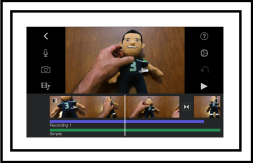
The Nexus will be a series of videos that will provide eCommerce merchants useful information. In this our first edition of the Nexus we will be discussing Hosted vs. Non-Hosted eCommerce solutions. (www.nexternal.com)

Bookmark and Share

Leveraging the Power of Video

Wednesday, January 21st, 2009

Online video is growing at a staggering rate and it’s no wonder. After years of absorbing information through the television, the human mind eagerly accepts and processes video regardless of the means in which it is broadcast. Videos can be searched on sites like YouTube and made instantaneously available to the world at large. So, how can you as an online retailer leverage video to improve your online sales? If used properly it can be used to both improve merchandizing and also as a marketing channel.

How can video be used to better merchandise products? Many consumers feel more comfortable buying something in a store because they can see the product in person, feel the product and in some cases even smell it. While it’s unlikely that online merchants will ever be able to deliver tactile properties or smells over the internet, there is much that can be done to make the customer feel comfortable with the visual aspects. When a prospective customer visits a product detail screen in an online store, embedding a video with the rest of the content can help convert a “maybe I’ll buy this” attitude into an actual sale.

How one uses product videos will depend upon the type of product. For example, if a product is difficult to use, a “how to” video would be a brilliant strategy for making the consumer feel more comfortable with their purchase. Products that make noise also lend themselves well to videos. Some merchants even use video to simply show different angles or aspects of a product. While not all products fit into these categories, certainly there are many that would benefit from a video testimonial. Written reviews of products are always nice, but for some reason video testimonials are likely to feel more genuine and have a greater impact.

Many merchants are yet to consider how they might use video to actually drive new consumers to their website. If it were considered such, YouTube would be one of the largest search engines in the world. From videos on how to do something to those that offer nothing but pure entertainment value, people flock to YouTube on a daily basis and search for all types of things. If you create a video that general consumers might find interesting, absolutely post it on YouTube. However, when you do there are a few things you should consider doing to turn those viewers into traffic on your website.

1. Put a link to that product in the video description. At this time, YouTube doesn’t allow people to make their videos clickable. However, you can post URLs in the description which shows up to the right of the video.

2. Make your YouTube username the same as your domain. For example, if your company’s URL is www.blendtec.com, make your YouTube username “Blendtec.” That way, if someone finds your video interesting, they can easily infer your URL.

3. Make your video Title, Description, and Tags as keyword rich as possible. Doing so will make your videos more likely to appear if someone searches YouTube for one of your products.

4. When the video begins and ends provide a quick fade in and fade out of your company name, logo, and URL.

One of the nice things about YouTube is that good videos tend to get a lot of viral traffic. YouTube makes it easy for people to share videos with friends or add them on social networks such as Facebook and MySpace.
The company mentioned above, BlendTec has had extraordinary success in converting viewers into buyers. While not every company will achieve that level of success with video, BlendTec has proven that it certainly doesn’t hurt to get creative.

On the flip side, filming and producing even a small video of good quality certainly takes a fair amount of time. We recommend starting with a couple of your best concepts, tracking the time and money you spend to make the videos, and then measuring the success 6 months later. If you realized a positive ROI, continue making more videos. The nice thing about a popular video on YouTube is that it can pay traffic dividends for a long time.

Bookmark and Share

Finding Your Offline Location Online

Friday, December 12th, 2008

Typically we focus The Nexternal Nexus on topics purely related to online retailers. Since many online retailers also sell in a brick and mortar store, we thought it appropriate to include a topic relating to merchants with a physical location.

Many merchants get so caught up in getting people to both their online stores and physical locations that they forget to put effort into combining the two to make it easier for online shoppers to find their physical locations. Local online customers are more likely to browse your online store then go to your physical location to make the actual purchase. Fortunately, there are a few simple things merchants can do to make it easier for the web surfer to find their brick and mortar stores.

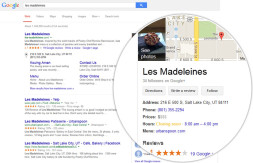
The first thing a merchant should do is claim their listing with Google Maps. This can be done in the Google Local Business Center located here: http://www.google.com/local/add/businessCenter. Google will either verify your information over the phone or via mail. The latter method can take a week or two. Besides being able to upload photos of your business, you can also create printable coupons that will appear aside your listing in Google Maps. This is a great way to get the customer to leave the computer and actually visit your store. It will also make it easy for you to know how many customers are finding you online.

While all retail brick and mortar companies should register with online directories and local chambers, another popular tool in many locations in the United States is Yelp (www.yelp.com). Yelp is a fun and easy way to find out about local businesses through customer reviews. As we all know, reviews are essential to the online shopper and a positive review can be the difference when trying to turn the shopper into and actual buyer. Assuming your customers have a great experience when visiting your location, you should considering adding your business to Yelp. Along with images and descriptions, you can also add all of your basic contact information. Users can then bookmark your business, email it to a friend or even send it to their phone. Consider asking some fans of your business to write reviews. The more people who write positive reviews, the more likely Yelp users will visit your establishment.

While there are several advanced options to consider, the last and fairly simple thing merchants should do is provide a printer friendly set of directions to their establishment on their website. The goal here is simply to make it as easy as possible for people to find you. It’s also a great idea to provide a phone number on the same page.

Although these seem like fairly common sense tasks, there are many merchants who overlook these simple steps. While setting up your business with Google Maps and Yelp will only take a small amount of time, the impact on your business should prove positive.

Bookmark and Share

Tracking Campaign Success Using Google Analytics

Wednesday, November 12th, 2008

Savvy marketers understand the importance of measuring success one campaign at a time. Someone may put together a great promotion, see a flood of orders and assume that they are a great marketer. The truth is that those orders are likely the sum of many different marketing channels. The single greatest thing about online marketing (as opposed to offline marketing) is that it is easy to measure results from every marketing effort. Google Analytics is a free analytics tool used by thousands of online retailers. However, many Google Analytics users don’t know that by simply appending some data to their marketing links, they can track visitors, transactions and revenue at the campaign level. This assumes, of course, that Google Analytics has been properly configured.

The data that is appended to a link can consist of up to five predetermined variables and their values which are passed in as query string parameters. In this article, we are just going to focus on the three required variables:

1. utm_medium – this parameter is typically used to specify the type of source that is driving the traffic. Examples would be email, affiliates, comparison shopping engines, banners, or pay per click channels.

2. utm_source – is used to designate the exact name of the source. Let’s say for example you are using the comparison shopping engine Shopzilla. You would set the value of utm_source to shopzilla and the value of utm_medium to cse (comparison shopping engine).

3. utm_campaign – this variable is used to set a campaign name. Let’s say for example you are sending out an email announcing a special on a specific product. You could name the campaign NovWidgetSpecial. Many marketers recommend including some form of the date in the campaign value.

When you are putting a campaign into action, simply append these variables to your URLs in the form of a query string. Let’s say for example that you want to measure the results from a banner ad that you are running on an industry specific site. Your link might look like:


http://store.firstfairway.com/?utm_medium=banner&utm_source=golfcom&utm_campaign=NovDriverSpecial

For those that are nervous about putting this type of URL together, Google has a URL building tool available here:

http://www.google.com/support/googleanalytics/bin/answer.py?hl=en&answer=55578

Before launching a campaign, be sure to test your links thoroughly to make sure they don’t cause any problems with your website. Also, log into your Google Analytics to make sure everything is being tracked as expected. It can take a full 24 hours to see data so leave plenty of time to test things.

Within Google Analytics you can measure visitors, transaction volume and revenue through the interface. Once logged into Google Analytics, navigate to “Traffic Sources/Campaigns.” From here, you can change the dimension to see the data by campaign, source or medium (the three variables defined above). Also, be sure to click on the Ecommerce tab to see total revenue generated.

Now that you know how to configure URLs to track campaigns in Google Analytics, document your results. Compare your success relative to similar promotions you are currently running or have run in the past. Document the tactics that generate the most success. In the long run, your bottom line will thank you.

Bookmark and Share